Find your location5
Pinpoint which county, city, state, ZIP, or country you are in — from GPS or an address.
Distance, area & drive time12
Measure how far apart places are, how much ground a radius or drive time covers, and the area of any shape.
Geographic data & lookup6
Pull US Census data — ZIP codes, cities, population, and counties — for any point or radius.
Coordinates, elevation & reference23
Read, convert, and plot coordinates, and look up elevation, time zones, and other point facts.
Map makers & cartography12
Build and annotate your own maps — draw, color regions, drop pins, plot CSVs, and view map files.
Sun and moon3
See where the sun and moon stand over the Earth right now, and track the lunar phase.
Lines on the map7
Explore the great circles and meridians that frame the globe, country by country.
Printable blank maps
110 printable blank maps: a United States map, 51 state maps (all 50 states plus DC), 7 world and continent maps, and 51 country maps. Each comes in 4 variants (blank, labeled, colored, with cities) and 3 formats (SVG, PNG, PDF). Public domain.
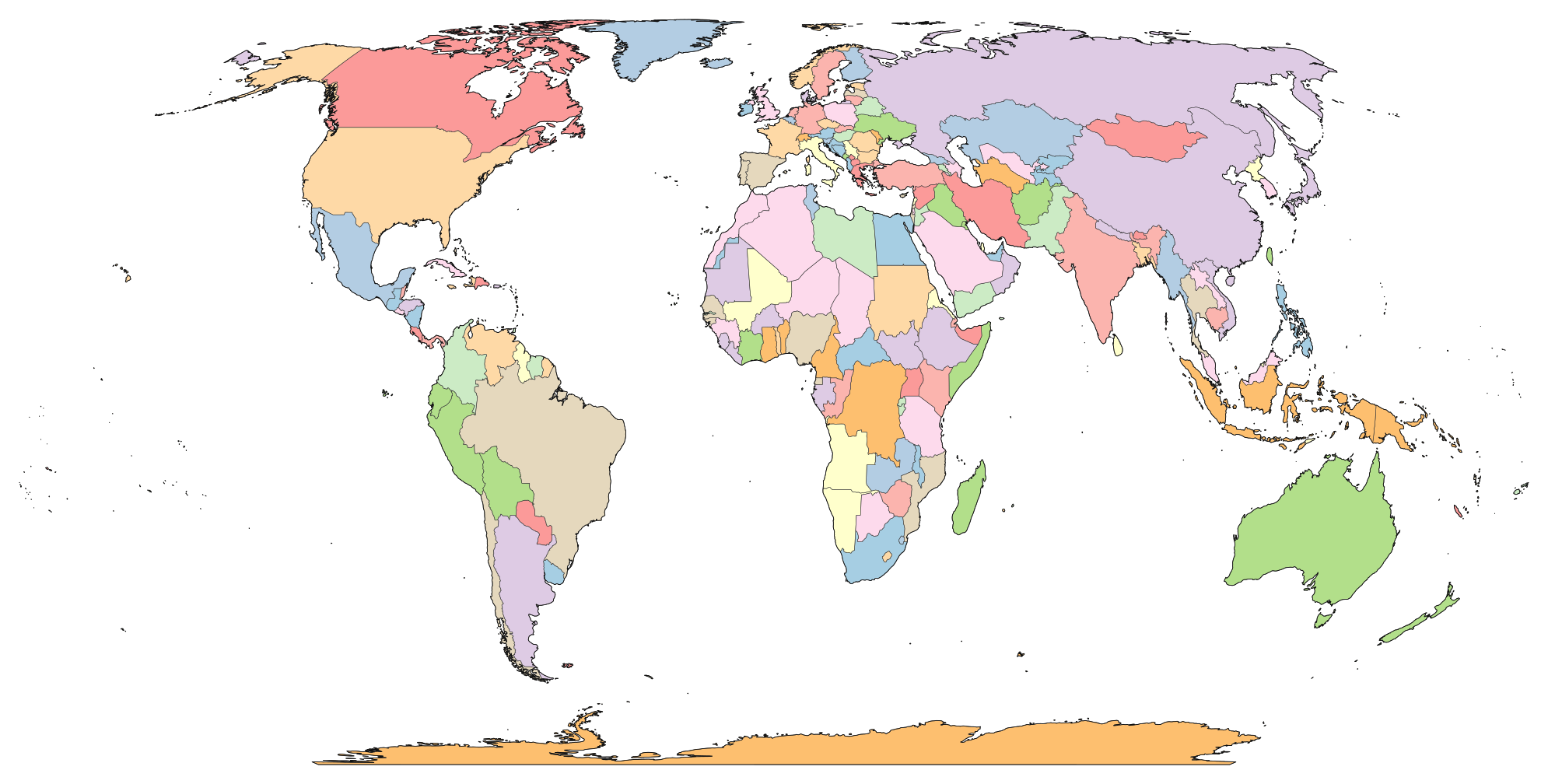
World & continents
US counties by state
3,144 counties and county-equivalents across 51 pages — one per state plus DC. Every page lists each county with population, area, median income, and a printable blank map.
Counts are county-equivalents: Louisiana is counted in parishes, Alaska in boroughs and census areas, Connecticut in planning regions, and Virginia, Maryland, Missouri, and Nevada include their independent cities. The District of Columbia is a single county-equivalent.
Studies
Data-driven studies built on public-domain Census, USGS, and OpenStreetMap data — each with interactive per-state pages and a downloadable dataset under a CC-BY 4.0 license.
Opheim, MT sits 138 miles from the nearest 10,000-resident city.
The Loneliest Towns in America — US towns — postal cities aggregated from ZIP codes — ranked by distance to the nearest 10,000+ anchor city. 50 state pages, downloadable dataset under CC-BY 4.0.
50 states — 21,376 candidate towns — CC-BY 4.0
Only 51.8% of Americans live within 100 miles of their state capital.
The 100-Mile Radius Around Every State Capital — A 50-state breakdown of how much of each state’s population is reached by a 100-mile circle around its capitol. Per-state pages, full dataset published under CC-BY 4.0.
50 states — 33,577 ZIPs — CC-BY 4.0
Alaska's 6,640-mile ocean coastline is longer than all 49 other states combined.
US State Coastlines Ranked — Every US state ranked by NOAA ocean coastline, tidal shoreline, and Great Lakes shoreline. Interactive choropleth with per-state hover info, full dataset under CC-BY 4.0.
50 states — NOAA data — hover map — CC-BY 4.0
How each tool works
The long version — every tool explained, grouped by category. Jump up to the directory to browse, or read on.
How the location tools work
What County Am I In? US
The county finder detects which US county you are currently located in using your device's GPS or an address search. It runs a point-in-polygon test against US Census Bureau boundary data loaded directly into your browser, so the result is instant — no server round-trip required. The tool also shows the population, area, and neighboring counties.
Knowing your county matters for jury duty forms, voter registration, property tax lookups, permit applications, and insurance quotes. The tool handles edge cases like independent cities (Virginia), parishes (Louisiana), and boroughs (Alaska) that don't follow the standard county model.
After detecting your county, the tool shows a detailed results card with demographic data, a map highlighting the county boundary, and links to neighboring counties. It works especially well near county borders, where many people genuinely don't know which jurisdiction they fall in.
What City Am I In?
The city detection tool identifies what city, town, or village you are currently in, using GPS or address search. It works worldwide — not just in the US — by querying the Nominatim reverse geocoder against OpenStreetMap data. The result includes the city name, administrative region (state/province), country, and postal code when available.
This is useful when you're traveling and don't know the name of the town you're passing through, when you need to fill out a form that asks for your current city, or when you're at a border between two municipalities and want to know which one you're actually in. The tool also shows your result on the map with a highlighted boundary when available.
What State Am I In? US
The state detection tool identifies which US state you are in using GPS or address search. It runs a point-in-polygon test against state boundary data, so it works instantly even without an internet connection after the initial page load. The result includes the state name, abbreviation, capital, population, area, and the number of counties.
This tool is most useful near state borders — if you're driving on I-95 between Connecticut and New York, or along the Four Corners area where four states meet, the tool tells you exactly which side of the line you're on. It handles DC and US territories as well.
What ZIP Code Am I In? US
The ZIP code finder detects your current US ZIP code using GPS or address search. It matches your coordinates against Census ZCTA boundaries to return the correct 5-digit ZIP, along with the associated city, county, state, population, and median income. The ZIP boundary is drawn on the map so you can see exactly where your ZIP starts and ends.
People commonly search for their ZIP code when filling out online forms, registering for services, or verifying their mailing address. The tool is especially useful when you've recently moved and aren't sure of your new ZIP, or when you're at a location where the ZIP isn't posted anywhere visible.
What Country Am I In?
The country detection tool identifies which country you are in using GPS or an address search, then enriches the result with country-level metadata most travel apps skip: the flag, ISO 3166-1 alpha-2 and alpha-3 codes, official currency and ISO 4217 code, international calling code, capital city, driving side (left or right), and mains voltage / plug type where available. It runs a point-in-polygon test against Natural Earth 1:50m boundary data loaded in the browser, so the result is instant and offline-capable after first load. Most useful when crossing land borders, landing in an unfamiliar airport, or when a sailing or aviation log needs the correct country for a specific lat/lng.
How the distance & area tools work
Drive Time Map
The Drive Time Map shows how far you can drive, bike, or walk from any location within a chosen number of minutes. Instead of drawing a simple circle, it calculates an isochrone — a polygon that follows actual roads, respects speed limits, and accounts for terrain like rivers and mountains. You can toggle multiple time intervals (10, 15, 30, 60, 90, or 120 minutes) and see them layered on the map simultaneously.
This tool is built on the Valhalla open-source routing engine using OpenStreetMap road data. It works worldwide — not just in the United States. Common uses include commute planning (set your workplace and see every neighborhood within 30 minutes), delivery zone mapping (define realistic service boundaries for restaurants and couriers), and retail site selection (compare how many customers can reach two candidate locations).
Unlike turn-by-turn directions, which show one route, the Drive Time Map shows the entire reachable area in every direction at once. The result is far more useful for any decision that depends on travel time — you see the full picture, not just one route.
Map Radius Tool
The Map Radius Tool draws a geodesic circle on an interactive map centered on any location. Set the center by address search, GPS, or clicking the map, then adjust the radius with a slider (1–500 miles) or type a custom value up to 3,000 miles. The circle updates instantly and shows area, perimeter, and diameter in your chosen unit (miles or kilometers).
Unlike a naïve circle drawn on a Mercator map, this tool uses Turf.js geodesic calculations on a sphere (radius 6,371 km). The result is a true circle on the Earth's surface — important at high latitudes where Mercator distortion would stretch a simple circle into an ellipse. You can add multiple circles to compare overlapping coverage areas or visualize different radii from the same center.
People use the radius tool for signal-range estimation (cell towers, radio stations, Wi-Fi), delivery zone visualization, "within X miles of" searches for real estate and job hunting, and emergency evacuation planning. The tool generates a shareable URL so you can send your exact map configuration to someone else.
Map Area Calculator
The area calculator lets you draw a custom polygon on the map by clicking to place vertices, then shows the enclosed area in square miles, square kilometers, acres, hectares, and square feet. It also calculates the perimeter in miles and kilometers. The geodesic calculation accounts for the Earth's curvature, so it's accurate for areas of any size — from a backyard lot to an entire country.
Common uses include estimating property lot sizes, measuring park or farm acreage, calculating the area of a lake or forest from satellite view, and comparing the size of geographic regions. The tool supports multiple shapes on the same map, undo (remove last vertex), and clear. Like every SimpleMapLab tool, it runs in any browser with no installation.
Distance Between Two Places
The distance calculator measures the straight-line (great-circle) distance between any two points on Earth. Click the map twice — first click sets the start, second click sets the destination — or search by address, city, or landmark. The tool instantly shows the distance in miles, kilometers, nautical miles, feet, and meters, with a dashed line drawn on the map between the two points.
The calculation uses the haversine formula on a sphere (radius 6,371 km), which is typically within about 0.5% of the ellipsoidal (WGS84) distance. This matters for long distances where flat-earth approximations diverge significantly. The tool also shows bearing (compass direction) from origin to destination, which is useful for aviation, marine navigation, and orienteering.
Common uses include estimating flight distances, comparing how far apart two cities are, planning road trips (as a rough lower bound — actual driving distance is always longer than straight-line), and answering geography trivia questions like "Is Tokyo or London closer to New York?"
Halfway Between Two Places
The midpoint calculator finds the geographic halfway point between two locations. Set two points by clicking the map or searching addresses, and the tool calculates the great-circle midpoint — the point equidistant from both along the shortest path over the Earth's surface. It shows the midpoint coordinates, the nearest city or town, and the distance from each endpoint.
This tool is popular for finding a fair meeting spot between two people who live in different cities, choosing a restaurant equidistant from two offices, or identifying the midpoint of a road trip for a rest stop. The geodesic midpoint is more accurate than a simple average of coordinates, especially over long distances where the curvature of the Earth matters.
Distance Between ZIP Codes US
The ZIP code distance calculator measures the straight-line distance between any two US ZIP codes. Type a ZIP code or click the map to set each endpoint — the first click places a green pin (origin), the second a red pin (destination). The tool instantly returns the distance in miles, kilometers, and nautical miles with a comparison table showing all common units.
ZIP code boundaries from the 2010 Census ZCTA dataset are drawn on the map so you can see the exact shape and extent of each ZIP. The tool measures the great-circle distance between the two ZIP centroids with the haversine formula on a sphere (R = 6,371 km). A GPS button lets you detect your current location and snap to the nearest ZIP code automatically.
Common uses include estimating USPS shipping zones, calculating CMS mileage reimbursement for medical travel, verifying franchise territory buffers, and answering "how far is it from my ZIP to theirs?" questions for dating apps and relocation planning.
Distance Between Cities
The city distance calculator measures the straight-line distance between any two cities worldwide. Search by city name with population-sorted autocomplete, click the map for instant pin placement, or use GPS to detect your nearest city. Results show distance in miles, kilometers, and nautical miles with estimated drive time.
The tool uses the haversine great-circle formula on a sphere (R = 3,958.8 mi / 6,371 km), typically within about 0.5% of the WGS84 ellipsoidal distance. A popular-routes reference table covers 12 well-known US city pairs (New York to Los Angeles, Chicago to Houston, etc.) with pre-calculated distances. City autocomplete prioritizes larger cities so "Portland" shows Portland, OR (653K) before Portland, ME (68K).
Common uses include flight distance estimation, road trip planning, relocation research, geography education, and logistics route comparison. The map shows both city pins with a dashed great-circle line between them, and results include bearing (compass direction) from origin to destination.
Crow Flies Distance
Crow Flies Distance shows the straight-line distance and the actual driving distance for the same two points side by side, then computes the detour percentage so you can see how much further the road takes you. The straight-line leg uses the haversine formula on a spherical Earth (R = 6,371 km), and the road leg is routed through Valhalla on OpenStreetMap data, so the comparison reflects real one-way streets, mountain passes, and ferry crossings rather than a flat-earth approximation. People use it for IRS / CMS mileage reimbursement (which is sometimes calculated point-to-point), drone delivery feasibility ("can a 20-mile-range quadcopter reach this customer?"), and the real-estate sanity check of "the listing says 5 miles to downtown — but is that 5 crow-flies miles or 5 driving miles?"
Bearing & Compass Calculator
The bearing calculator returns four directional values between any two points on Earth: initial bearing (the compass heading you'd start on for a great-circle route), final bearing (heading on arrival, which differs because meridians converge), rhumb-line bearing (the constant heading you'd hold on a Mercator chart), and magnetic bearing (true bearing adjusted for local magnetic declination). Magnetic declination is fetched from the World Magnetic Model 2025 published by the British Geological Survey and NOAA, so the magnetic value reflects the current epoch rather than a stale 2010 lookup. Hikers reading a compass against a paper topo map, sailors plotting a coastal passage, and satellite-dish installers aiming at a geostationary slot all need the magnetic correction, not just true north.
Multi-Stop Route Distance
Multi-Stop Route Distance sums total trip mileage across up to 25 waypoints — the cumulative version of a 2-point distance tool. Add stops by search, GPS, map click, or bulk paste, then read the total crow-flies distance, total driving distance and drive time, and a detour percentage all together. Per-segment Valhalla calls run in parallel (capped at 4 concurrent) so a 12-stop route returns in seconds, and an optional "Best order" button runs nearest-neighbor + 2-opt TSP optimization to re-sequence the middle waypoints and minimize wasted miles while keeping waypoint #1 fixed as the start. Real estate agents showing six properties, sales reps hitting twelve customers, road-trippers chaining national parks, locksmith vans, florist deliveries, and wedding-venue tours all need cumulative mileage with per-leg breakdown. Round-trip toggle adds the return leg, CSV export drops the full waypoint and segment table into a spreadsheet, and the entire trip state is encoded into the URL hash so a single link is enough to share or re-open the plan.
Distance Matrix Calculator
Distance Matrix Calculator builds the full N×N pairwise distance matrix for 2-50 points instead of summing along a tour like Multi-Stop. Add points by search, GPS, map click, or CSV paste, and the haversine matrix renders synchronously in the browser at O(N²/2) cost — 1,225 unique pairs for N=50 in well under a millisecond. Toggle on driving distance and parallel Valhalla calls (capped at 4 concurrent, 15-point ceiling) fill in real-road numbers per pair. The matrix view color-codes cells with a log-scale heatmap and keeps row/column headers sticky during scroll; the list view sorts every unique pair by crow-flies, driving, or bearing. Logistics planners assigning customers to warehouses, sales operations teams placing reps against accounts, real estate agents comparing every home against every nearby amenity, and ecology and epidemiology researchers feeding clustering libraries with pairwise distance input all need the matrix shape rather than a tour total. CSV export ships in long format (one row per pair, joinable in any database) or wide format (the N×N grid, ready to paste into Excel), and a TSV-to-clipboard option lands the whole matrix in Sheets without an import dialog.
Horizon Distance Calculator
Horizon Distance Calculator answers the deceptively simple question "how far can you see?" by computing the spherical-Earth horizon distance for any observer height, with refraction correction by default. Type your eye-height (or pick a preset — beach, lighthouse, Empire State, Mt Everest, commercial flight, ISS) and read horizon distance in miles, kilometers, and nautical miles, dip angle in degrees and arcminutes, and a list of US cities within line-of-sight from the bundled US city database. A two-point visibility mode answers "can A see B?" given each location's height — sums each one's horizon distance via d = √(2·R·h + h²), compares to the haversine separation, returns yes/no with a margin reading. Use cases span photography (overlook scouting, lens-reach planning), aviation (cockpit horizon at FL350), maritime (lookout range, lighthouse design), hiking (peak-to-peak visibility), architecture (tall-building view marketing), amateur radio and microwave engineering (tower-to-tower line-of-sight check), and astronomy (observatory mountain visibility). Standard atmospheric refraction (k = 0.13) is applied by default. The map view draws a geodesic horizon circle around the observer so the result is visual, not just a number.
How the geographic-data tools work
Find ZIP Codes in Radius US
This tool finds every US ZIP code whose center falls within a chosen radius of any location. Set a center point by clicking the map, searching an address, or using GPS, then adjust the radius from 1 to 500 miles. The results table shows each ZIP code with its city, county, state, population, and distance from center — sortable by any column and exportable to CSV.
ZIP code boundaries from the 2010 Census (ZCTA polygons) are drawn directly on the map, so you can see the exact shape of each ZIP and hover for demographic details. The drag-to-resize handle on the circle edge lets you expand or shrink the radius interactively. This is particularly useful for direct mail targeting, franchise territory planning, healthcare service area analysis, and EDDM campaign scoping.
In a dense urban core like Manhattan, a 5-mile radius can return over 150 ZIP codes. In rural Wyoming, a 50-mile radius might return only 20. The tool loads all 41,545 searchable US ZIPs in the browser for instant filtering — Census ZCTAs (with drawable boundary polygons; the population-data subset is what feeds the radius-population aggregate) plus USPS ZIPs the Census doesn't model: PO Box-only, unique-recipient single-building ZIPs, and military APO/FPO. The non-ZCTA layer is tagged inline in the results so you can tell which rows have demographics and which don't.
Find Cities in Radius US
This tool finds all US cities and towns within a chosen distance of any point. It searches a database of postal cities aggregated from ZIP codes (about 27,722), positioned at the geometric centroids of their ZCTAs. Results show city name, state, population, and distance — sortable and filterable by minimum population. City markers on the map are sized by population, so you can instantly see which cities are largest.
Use cases include relocation research ("what cities are within 50 miles of my job?"), market analysis ("how many cities over 10,000 population are within 100 miles?"), and road trip planning ("what's near this highway stop?"). The tool complements the ZIP code radius tool — ZIPs for mailing lists, cities for human-readable location references.
Population Within Radius US
The population radius tool calculates the total number of people living within a given distance of any US location. It sums population across all ZIP codes whose centers fall inside your radius, then breaks down the demographics: median household income, median age, education level, poverty rate, racial composition, and housing units. ZIP dots on the map are colored by population density.
This is essential for market sizing, grant applications, public health service area definitions, and retail feasibility studies. A 15-mile radius from a suburban mall might contain 500,000 people; the same radius from a rural town might contain 12,000. The demographic breakdown helps you understand not just how many people are nearby, but what the population looks like.
Address to County Lookup US
This tool converts any US address or coordinate to its county using a point-in-polygon test against Census Bureau county boundaries loaded in the browser. Type an address, click the map, or use GPS — the tool returns the county name, FIPS code, population, area, median income, and demographic summary.
The tool is commonly used by real estate agents (county determines tax rates and school districts), insurance professionals (county affects flood zones and risk ratings), legal researchers (county determines court jurisdiction), and data analysts who need to geocode addresses to counties for spatial analysis. The FIPS code output is particularly useful for joining with federal datasets.
County Map with Cities US
The county map tool displays all cities within a selected US county on an interactive map, with markers sized by population. Search for a county by name or use "Detect My Location" to find yours automatically. The tool shows configurable city labels (top 10, all, or none), a minimum population filter, and a sortable table of all cities with population data.
This is useful for county-level research — understanding the geographic distribution of population within a county, identifying the largest cities, and seeing how rural vs. urban the county is. Teachers use it for local geography lessons, and real estate professionals use it to understand the layout of unfamiliar counties.
Find Nearest National Park US
Find Nearest National Park ranks all 63 US national parks by straight-line distance from your location or any address you search. Each result shows the park's state, its area, and a link to the official National Park Service page, so you can see at a glance which parks are closest and build a trip around them. The ranking comes from a static bundled dataset, so it is instant and needs no network lookup.
How the coordinate & reference tools work
Address to Coordinates Converter
The geocoder lookup tool converts any address, city, landmark, or place name into geographic coordinates (latitude and longitude) with structured address components. Type an address and get back the parsed street, city, county, state, postal code, and country — each in its own field with a copy button. Click the map to reverse geocode any point into an address.
A batch geocoding mode lets you paste up to 25 addresses (one per line) and geocode them all at once. Results appear in a sortable table and can be exported as CSV with columns for street, city, county, state, ZIP, country, latitude, and longitude. This is invaluable for data cleaning, CRM enrichment, and spatial analysis workflows.
The tool uses Nominatim (OpenStreetMap's geocoding engine) for worldwide coverage and Photon for typo-tolerant autocomplete. Unlike Google's geocoding API, this tool is completely free with no API key or sign-up required.
Coordinates to Address Reverse Geocoder
The reverse geocoder converts any latitude / longitude into a full street address. Paste a coordinate pair in any format — Decimal Degrees, DMS, or DDM — and the smart parser splits it across the two input fields automatically. You can also click anywhere on the world map or use GPS to set the point; reverse geocoding runs the moment a point is set.
The result includes a structured address breakdown (house number, street, neighborhood, city, county, state, postcode, country) plus three coordinate output formats and a one-click hand-off to Google Maps, Apple Maps, or OpenStreetMap. Three enrichment cards add elevation in meters and feet (AWS Terrain Tiles — USGS 3DEP / SRTM), the IANA time zone of the point, and the current local time at that location.
Common uses include translating GPS-tagged photo metadata, cleaning up wildlife / ecology observation datasets, mapping IoT and fleet locations to addresses for asset management, and round-tripping forward-geocoded addresses for QA. Batch mode handles 25 coordinate pairs at once and exports results as CSV.
Latitude & Longitude Map
Enter latitude and longitude coordinates and see them plotted instantly on an interactive map. The tool accepts decimal degrees, DMS notation, and even Google Maps URLs — paste any format and it auto-detects. Plot multiple points on the same map with numbered markers and connecting lines, then reverse geocode each point to get the full street address and structured components.
This is the go-to tool for anyone who already has coordinates and needs to visualize them: verify GPS waypoints, check survey data, plot geocaches, inspect field research points, or simply answer "what is at these coordinates?" Results include address breakdown, coordinate format conversions, distances between consecutive points, and CSV export for multi-point sessions.
GPS Coordinate Converter
Paste coordinates in any format — decimal degrees, DMS, DMM, or even a Google Maps URL — and instantly see them converted to every other format: DD, DMS, DMM, UTM, MGRS, geohash, Plus Code, and a reverse-geocoded street address. The tool auto-detects your input format and shows a live badge so you know it parsed correctly.
This is essential for anyone who works with coordinates from different sources: surveyors converting between UTM and lat/lng, hikers entering waypoints from a handheld GPS in DMS format, military personnel using MGRS grid references, or developers converting between APIs that use different coordinate systems. Each output format includes a copy button and a brief explanation of when it's used.
UTM to Lat/Long Converter
A bidirectional converter between UTM (Universal Transverse Mercator) grid coordinates and latitude/longitude. Enter a UTM zone, easting, and northing to get decimal degrees, DMS, and a map pin — or enter lat/lng to get the full UTM reference. The tool implements the exact Transverse Mercator projection math on the WGS84 ellipsoid for sub-meter accuracy.
UTM is the standard coordinate system for land surveying, military operations, construction, and GIS work because it uses meters on a flat grid — making distance and area calculations trivial compared to angular lat/lng. This tool bridges the gap for anyone converting between UTM survey data and geographic coordinates used by GPS devices and mapping APIs.
Latitude & Longitude Finder
The coordinate finder returns the precise latitude and longitude of any location on Earth. Click the map, search an address, or use GPS — the tool shows coordinates in four formats: decimal degrees (DD), degrees-minutes-seconds (DMS), degrees-decimal-minutes (DMM), and geohash. It also calculates the antipode (the point diametrically opposite on the globe) and shows your hemisphere, distance from the equator, and distance from the prime meridian.
This tool is commonly used by surveyors, geocachers, drone pilots filing FAA airspace requests, and developers building location-aware applications. The DMS format is standard for aviation and maritime use, while decimal degrees are preferred for databases and APIs. The geohash format is useful for spatial indexing in software systems.
Elevation Finder
The elevation tool returns the altitude above sea level for any point on Earth, using Mapzen Terrain Tiles on AWS (USGS 3DEP 10 m in the US, SRTM 30 m and other national models elsewhere). Click the map, search a location, or use GPS to get elevation in feet and meters, plus a terrain category, a comparable landmark for context, atmospheric pressure from the ISA barometric formula, and effective oxygen percentage at altitude.
Common searches include "what is my elevation," "what is my current altitude," and "elevation at my location." The tool is used by hikers planning routes, athletes training at altitude, pilots checking terrain clearance, and homeowners assessing flood risk. The atmospheric pressure and oxygen calculations are especially useful for high-altitude cooking and altitude sickness assessment.
What Is My Elevation?
The "what is my elevation" tool answers how high you are above sea level right now. Tap once to use GPS and it reads the terrain elevation at your exact coordinates in feet and meters, shows negative values below sea level (Death Valley, the Dead Sea shore), and works anywhere on Earth with no app or sign-up. It's the GPS-first companion to the Elevation Finder — one for "where am I standing," the other for looking up any address.
Elevation Profile
The elevation profile tool turns a route into a chart. Click waypoints along a path — a trail, a ride, a drive — and it samples the terrain elevation between them (from AWS Terrain Tiles) to draw a distance-vs-elevation profile and report total elevation gain, total loss, max and min elevation, and the steepest grade. Feet-first with meters alongside, and the route is encoded in a shareable URL.
Time Zone Finder
The time zone tool identifies the IANA time zone for any location on Earth. Click the map or search a place to see the time zone name (e.g., "America/New_York"), UTC offset, current local time (ticking live), and whether daylight saving time is currently in effect. It also shows a world clock comparison with 8 major cities.
This tool uses the geo-tz library with timezone-boundary-builder data, which maps every point on Earth to its correct IANA zone. It handles edge cases like Arizona (no DST), Indiana (split counties), and international zones where political boundaries don't follow longitude lines. Common uses include scheduling international meetings and verifying time zone assignments for databases.
US Time Zone Map US
The US time zone map shows every American time zone — Eastern, Central, Mountain, Pacific, Alaska, and Hawaii–Aleutian — as an interactive, correctly-bounded map. Tap any zone (or search a city, state, or ZIP) for the live local time, UTC offset, and DST status. It handles the tricky cases honestly: Arizona's no-daylight-saving area, the Florida panhandle split, and Indiana's mixed counties. A states-by-time-zone reference table lists all 50 states plus the largest US cities.
World Time Zone Map
The world time zone map shows every time zone on Earth, colored by UTC offset from UTC−12 to UTC+14. Tap any zone or search a city or country for the live local time, UTC offset, and DST status. It covers the fractional-offset zones too — India at UTC+5:30, Nepal at UTC+5:45, the Chatham Islands at UTC+12:45 — and links across to the US Time Zone Map for a closer US view.
US County Map (Interactive Choropleth) US
The interactive county map displays all 3,144 US counties as a choropleth — colored by a metric you choose. Switch between six metrics: population, population density, median household income, median age, college education rate, and poverty rate. Hover any county to see a detailed popup with all demographic data.
This tool is a lightweight alternative to full GIS software for quick nationwide county comparisons. It loads all demographic data in the browser and renders the choropleth via MapLibre feature-state, so metric switching is instantaneous. Common uses include visualizing regional economic patterns, identifying demographic clusters, and building intuition about the geographic distribution of US population and wealth.
Antipode Finder
The antipode finder shows the exact opposite point on Earth from any given location — flip the latitude sign and shift longitude by 180°. Drop a city, address, or coordinate, and the tool returns the antipodal latitude/longitude, the country (or ocean — over 71% of antipodes land in water), the distance through the Earth's center (12,742 km / 7,918 miles), and the distance along the great-circle surface (~20,015 km). Useful for trivia, geographic curiosity, "dig a hole to China" jokes, and answering questions like "where's the opposite of New Zealand?" (Spain, mostly).
Random Location Generator
The random-location generator produces a uniformly distributed random point on Earth — anywhere, on land only, or inside a chosen country. Crucially, it uses correct equal-area sphere sampling (lat = asin(2u−1), not lat = uniform), which avoids the common bug of clustering points near the poles. Generate one point or up to 100 in a batch; export to CSV or GeoJSON. Useful for travel inspiration, statistical sampling, randomized field studies, geocaching prompts, and any application where a representative random Earth point matters.
Time Difference Calculator
The time-difference calculator compares 2 to 5 cities at once with live ticking clocks, working-hours overlap visualization on a UTC axis, and automatic DST detection via the IANA Time Zone Database. Drop in cities and see at a glance which hours overlap — the green band shows mutual 9-to-5 working hours, the orange shows acceptable cross-cultural hours, and the red shows "you're asking someone to wake up". Useful for scheduling international meetings, planning remote-team standups, and answering "what time is it in Tokyo right now?" without doing arithmetic.
Sunrise & Sunset Calculator
The sunrise / sunset calculator returns sunrise, sunset, civil / nautical / astronomical twilight, golden hour, and day length for any location worldwide on any date. Drop a city, GPS coord, or address, and the tool computes solar position from standard astronomical formulas (the Astronomy Answers method the SunCalc library uses). Useful for photographers planning golden-hour shoots, landscapers, gardeners, outdoor weddings, fishing, and observers in extreme latitudes where polar day or polar night kicks in (the tool flags those cases instead of returning a meaningless time).
Sun Position Calculator
The sun-position calculator answers "where exactly is the sun right now?" — its compass azimuth (direction from true north, 0–360°) and elevation (angle above the horizon, −90° to +90°) at any location and any moment. Visualizations include a 320 px compass rose with the sun position, shadow-direction arrow, and full daily sun path; a sky-dome SVG showing today's arc with sunrise / sunset / solar-noon annotations; and a yellow subsolar-point dot on the world map. Phase classification by elevation thresholds — Golden Hour (0–6°), Blue Hour (−6–0°), Day (6–60°), Harsh Midday (>60°) — replaces brittle "minutes after sunrise" rules and works correctly at any latitude. Useful for photography planning, solar-panel orientation, architectural shadow analysis, sundial design, and cinematography continuity. Built on the open-source SunCalc library, whose formulas are based on the Astronomy Answers articles.
Coordinates to City
Coordinates to City turns a latitude/longitude pair — pasted in any format, or set by clicking the map — into the city, state, country, and county at that point. It uses the Nominatim reverse geocoder over OpenStreetMap, so it works worldwide, and it is the focused companion to the full reverse geocoder for when the city is all you need.
Coordinates to Country
Coordinates to Country turns any latitude/longitude into the country at that point, with the national flag and ISO 3166-1 code. Click the globe or paste coordinates in any format; the lookup runs worldwide and is handy for tagging datasets, checking which country a remote point falls in, or settling a map-trivia question.
Coordinates to State US
Coordinates to State turns a latitude/longitude into the US state at that point, along with its abbreviation, the county, and the ZIP code, and falls back to a worldwide country lookup outside the United States. It is the state-level member of the focused reverse-geocoder family — paste coordinates or click the map and read the answer.
Map Tunnel
Map Tunnel shows two globes side by side: pick any city on the left, and the right-hand globe spins to the exact point a straight tunnel through the center of the Earth would emerge — the antipode. Most cities surface in the ocean, which is half the fun; the tool makes the 'dig a hole to the other side of the world' idea concrete and geographically correct.
Geographic Center Finder
Geographic Center Finder computes the centroid — the area-weighted center of mass on the sphere — of any of 241 countries and territories or any of the 50 US states, and plots it on the map. It is the honest answer to the 'center of a place' question: the math runs on the sphere, not a flat projection, so the point it returns is the true geographic center.
How the map-maker tools work
Map Drawer
Map Drawer is a free online drawing canvas for any base map. Pick a basemap — World, United States, or any of the six continents — then draw using five primitives: Line (multi-segment paths), Polygon (closed shapes with area), Freehand (drag-to-sketch), Arrow (directional vectors), and Text (custom labels). Three quick-start presets (cross-country road trip, trans-Atlantic flight, European migration arrows) load working examples.
Every drawing returns real geographic measurements: lines and freehand traces show distance in km / mi computed via inverse projection + d3.geoLength on a 6,371 km sphere; polygons show area in km², mi², acres, or hectares via d3.geoArea. The math is the same as production GIS, so a freehand sketch of the John Muir Trail returns ~340 km, a polygon outline of Texas returns ~696,000 km², and a New York → London arrow reports about 5,540 km.
Use it for road-trip planning, flight-path annotation, migration / supply-chain flow diagrams, hiking trail sketches, sales-territory outlines, and battle / history maps. Mobile-first with pinch-zoom, two-finger pan, ≥44 px touch targets, undo / redo (50 steps), and localStorage autosave. No sign-up, no watermark.
Map with Legend Maker
Map with Legend Maker is a free annotator for cartographic maps. Pick a base map (eight options — World, United States, every continent), drop markers in five shapes (circle, square, triangle, diamond, star) with custom colors and captions, fill regions (countries, US states, continents) with categorical colors, and the legend builds itself from the categories you create.
The result is a publication-grade single-image map suitable for slides, reports, classroom handouts, or print. Quick-start presets cover NATO members, EU members, world capitals, and a travel "places I've been" pattern. The legend lives in any of four corners (or hidden), the map gets a custom title and subtitle.
Use cases include election results, hiking and trail maps, travel logs, sales territories, battle / military history, and fictional / world-building maps for tabletop RPGs and authors. Different from Color a Map (no markers) and from Datawrapper (CSV-driven instead of hand-built) — the legend is auto-generated but the map is hand-crafted.
Color a Map
Color a Map is the simplest possible map-coloring tool: pick a base map (World, United States, or any of the six continents), define color groups in the sidebar, then click a country, US state, or region to fill it with the active color. Click again to clear. Perfect for creating "countries I've visited" travel maps, election results, NATO / EU / ASEAN membership maps, and political-historical territory overlays.
The data is public-domain (Natural Earth at 1:50m and US Census TIGER/Line) so the output is yours to use commercially with no watermark. Pairs naturally with Map with Legend Maker when you also need markers and a legend — Color a Map is the focused region-fill experience without the extra surface area.
Map with Counties US
Map with Counties turns a CSV of county FIPS codes (or names) plus values into a national US choropleth in seconds. Paste a CSV like "06037, 9.8M" or "Los Angeles County, 9.8M" and the tool auto-resolves FIPS, validates the values, and renders the choropleth instantly. Five color schemes and three classification methods (quantile, equal-interval, natural breaks) are available; the legend updates automatically.
On first visit the tool auto-loads a Population sample (US county populations from the US Census Bureau) so the user immediately sees what the output looks like, then can paste their own data on top. Useful for journalism, market research, public health, election analysis, and any nationwide US dataset that has a county dimension.
Map with ZIP Codes US
Map with ZIP Codes plots a list of US ZIP codes on a map in three modes: Dots (one circle per ZIP), Heatmap (county-aggregate intensity), and Territory (categorical labels by ZIP). Paste a CSV of ZIPs (with optional values), and the tool handles ZIP+4 truncation, leading-zero preservation, and all 41,545 US ZIPs (see Find ZIP Codes in Radius for radius search with PO Box, unique-recipient, and military APO/FPO tagging). State filter chips for quick zoom to a single state.
Common uses include sales-territory mapping, customer / patient density maps, EDDM mailing-zone visualization, franchise coverage, and any "list of ZIPs we serve" dataset. Auto-loads a Population sample on first visit. Mobile-first with collapsible customizer and tap-to-toggle state filter.
Pin Drop Map
The pin-drop map lets you place up to 100 pins on an interactive world basemap by clicking, searching an address, or pasting coordinates. Each pin gets a custom note, color, and label — useful for trip itineraries, customer or asset locations, photo geotagging, and field-survey planning. The state of the map is encoded in the URL hash, so a pin set is shareable as a single link without any sign-up or backend storage. Export the full pin set to CSV, GeoJSON, or KML for use in Google My Maps, QGIS, or any GIS pipeline.
CSV to Map
The CSV-to-map tool plots up to 5,000 lat/lng rows from a spreadsheet on an interactive WebGL map. Paste, upload, or drag-drop a CSV; the tool auto-detects which columns hold latitude and longitude (first by header name, then by numeric range scan). Pick any column to color points by — every unique value gets a distinct palette color and a legend. Click any pin to see the full row data in a popup. Export the layer as GeoJSON or KML. Use cases: customer locator visualizations, real estate listing maps, field-research observation maps, government open-data quick views.
KML Viewer
The KML Viewer opens any .kml file from Google Earth, Google My Maps, ArcGIS Pro, QGIS, Garmin BaseCamp, GPS Visualizer, or a drone-flight planner and renders every Placemark, LineString, and Polygon on an OpenStreetMap base map — no Google Earth install, no signup, no upload. Parsing happens locally with the browser's DOMParser; the file never leaves your device. Up to 8 MB per file. Click any feature for its name, description, and ExtendedData properties; toggle visibility per geometry type; copy the bounding box; and export a clean GeoJSON or GPX in one click (with names and properties preserved) for use in any web mapping library or GPS device.
GeoJSON Viewer
The GeoJSON Viewer opens any .geojson or .json FeatureCollection, single Feature, or bare Geometry and renders every feature instantly on a MapLibre / OpenStreetMap base map. Native JSON.parse plus structural validation against RFC 7946 — strict enough to flag broken files, permissive enough to render the old pre-2016 spec, antimeridian crossings, and right-hand-rule violations. Click features for property tables, toggle Point / Line / Polygon layers, copy the bbox, and convert to OGC KML 2.2 or Topografix GPX 1.1 in one click. Up to 8 MB per file; everything parses locally in your browser with zero upload. Useful as a pre-flight sanity check before wiring data into a Leaflet/MapLibre/Mapbox app.
GPX Viewer
The GPX Viewer opens any .gpx file from Strava, Garmin Connect, AllTrails, Komoot, Wahoo, COROS, Polar, or any other GPS watch / app and renders waypoints, planned routes, and recorded tracks on an OpenStreetMap base map — including multi-segment tracks from paused recordings. Aggregate stats (total distance via haversine, elevation gain and loss, min/max elevation, duration if timestamps are present) are computed at parse time and surface in the property panel. Up to 8 MB per file. Convert to GeoJSON for any web mapping library, KML for Google Earth Pro, or re-export to a clean GPX 1.1 — all in one click, all in your browser, with zero upload.
Country Size Comparison
The country size comparison tool fixes the lie that every Mercator-projected world map tells about size. Drag any country or US state across an interactive world map and watch its rendered footprint respond to its current latitude — Greenland shrinks to about the size of Algeria once you drag it to the equator, Africa balloons to monstrous when you drag it toward the pole. The math underneath uses geodesic relocation: every polygon vertex is moved by its great-circle bearing and haversine distance from the original centroid, which preserves true geographic area exactly while letting the visual size on Mercator change with latitude. Up to five shapes can sit on the map at once, with auto-generated comparison sentences ("Texas is 1.27× the area of France", "Greenland fits 14× inside Africa") and a rotation handle that lets you spin any shape around its centroid — the most-requested missing feature on existing size-comparison tools.
Built for geography classrooms, journalism, real-estate scale checks, business expansion, and the entire genre of viral "Africa is bigger than you think" social media. Includes both Natural Earth countries and US Census TIGER state polygons in a single search dropdown so cross-comparisons (Texas vs France, California vs Germany, Montana vs Japan) are one click away.
Google Maps Embed Code Generator
The Google Maps Embed Code Generator builds a ready-to-paste iframe for any place, set of directions, or custom map view — with no Google API key required. Choose the mode, set the location, and copy responsive embed code that drops straight into a web page, so you can put an interactive map on your own site in a minute.
How the sun & moon tools work
Day Night Map
The Day Night Map draws the live terminator — the line dividing daylight from night across the Earth — together with the subsolar point, the spot the sun is directly overhead right now. Click anywhere to read that location's sunrise, sunset, and current sun phase. The whole map updates in real time as the Earth turns.
Moon Position Map
The Moon Position Map shows the live moon-up boundary and the sublunar point — where the moon is directly overhead at this moment — plus the current phase, illumination, and the moon's distance from Earth. Click anywhere to get that location's moonrise and moonset times.
Moon Phase Calendar
The Moon Phase Calendar shows tonight's phase and illumination percentage, a clickable month grid of every day's phase, and the dates of the next twelve major moons (new, first quarter, full, and last quarter). A hemisphere toggle flips the artwork so the shadow falls on the correct side for Northern or Southern viewers.
How the geographic-line tools work
Equator
The Equator tool maps the line of 0° latitude and the 13 countries it passes through, with the exact longitudes where it enters and exits each one. It also covers the climate and astronomy of the Equator — why the sun passes overhead twice a year, and why days there stay close to twelve hours long all year round.
Tropic of Cancer
The Tropic of Cancer tool maps the parallel at 23.4394°N — the northern edge of the tropics, where the sun stands directly overhead at the June solstice. It traces the 17 countries the line crosses and the great deserts that sit along it, from the Sahara to the Arabian.
Tropic of Capricorn
The Tropic of Capricorn tool maps the parallel in the southern hemisphere where the sun is overhead at the December solstice. It follows the 10 countries the line crosses and the dry country strung along it — the Atacama, the Namib, and the Australian Outback.
Arctic Circle
The Arctic Circle tool maps the parallel at 66.5606°N, the southern limit of the midnight sun and the polar night. It covers the 8 countries whose territory reaches above the line and the indigenous peoples who live there, and explains why the circle slowly shifts as the Earth's tilt changes.
Antarctic Circle
The Antarctic Circle tool maps the parallel that encircles Antarctica — the only one of the five major circles of latitude that rings a single continent and crosses no sovereign country. It covers the research stations inside it and the Antarctic Treaty that governs the land.
Prime Meridian
The Prime Meridian tool maps the line of 0° longitude running through the Royal Observatory at Greenwich and the 8 countries it crosses. It also explains the 102-meter offset between the historic Airy transit circle and the modern IERS reference meridian that GPS actually uses.
International Date Line
The International Date Line tool maps the 180° meridian and the political zigzag that keeps island nations on a single calendar day. It covers Kiribati's 1995 realignment, Samoa's 2011 skip across the line, and the 21-hour gap between the two Diomede Islands.
What is SimpleMapLab?
SimpleMapLab is a free, open-data geographic tools website. It provides 68 interactive map tools and 110 printable blank maps, all accessible from any browser without creating an account or paying a subscription.
The tools cover four areas: location detection (find your county, city, state, or ZIP code), measurement (drive time isochrones, radius circles, distance calculators, area measurement), geographic data (ZIP code lookups, city searches, population estimates, county maps), and reference (coordinates, elevation, time zones, interactive county choropleth).
All tools run client-side in your browser. Map tiles come from OpenFreeMap (no API key). Geocoding uses Photon and Nominatim. Drive time routing uses Valhalla. US demographic data comes from the Census Bureau. Every data source is public, open, and free.
Who uses SimpleMapLab?
Teachers and students use blank maps for geography quizzes, history projects, and classroom exercises. Small business owners use drive time maps and radius tools to plan delivery zones and service areas. Real estate professionals use the commute-time isochrone to evaluate neighborhoods. Data analysts use the SVG blank maps as base layers for choropleths. Travelers use distance and elevation tools to plan road trips. Developers use the coordinate finder and county lookup for geocoding workflows.
Why free?
Geographic data should be accessible to everyone. The underlying data — OpenStreetMap, Census Bureau, Natural Earth — is public domain. SimpleMapLab adds a clean interface on top and is sustained by display advertising. No paywalls, no "free tier" limitations, no upsells.
How our map tools work
Location detection tools
The "What county/city/state/ZIP am I in?" tools use your browser's Geolocation API to get GPS coordinates, then run a point-in-polygon test against Census Bureau boundary data loaded directly into your browser. No server round-trip — the lookup is instant and works offline after the initial page load.
Drive time map (isochrone)
The drive time tool sends your starting coordinates to the Valhalla routing engine, which expands outward along every road in OpenStreetMap, tracking cumulative travel time. When the time budget is exhausted, it draws a polygon around all reachable endpoints. The result accounts for speed limits, road types, one-way streets, and turn penalties — far more accurate than a simple radius circle.
Distance and radius tools
Distances use the haversine great-circle formula on a sphere (radius 6,371 km), typically within about 0.5% of the WGS84 ellipsoidal distance. Radius circles are drawn as geodesic polygons via Turf.js — meaning the circle is correct even at high latitudes where Mercator distortion would stretch a naïve circle into an ellipse.
Blank maps
Blank maps are rendered from TopoJSON boundary data (US Census TIGER files for states, Natural Earth 1:50m for countries and continents) using d3-geo projections. Each map is generated as a clean SVG with no watermark. PNG and PDF versions are created client-side in your browser — nothing is uploaded to any server.
Elevation finder
Elevation comes from Mapzen Terrain Tiles on AWS (USGS 3DEP 10 m in the US, SRTM 30 m and other national models elsewhere). The tool also calculates atmospheric pressure using the International Standard Atmosphere barometric formula and estimates effective oxygen percentage at altitude.
Popular questions our tools answer
Data sources
Every dataset used by SimpleMapLab is public, open, and free:
- Map tiles: OpenFreeMap (OpenStreetMap data, free, no API key)
- Geocoding: Photon (autocomplete) + Nominatim (reverse geocoding)
- Routing: Valhalla on FOSSGIS public server (drive time isochrones)
- US boundaries: US Census Bureau TIGER/Line via us-atlas
- World boundaries: Natural Earth 1:50m (public domain)
- County population, area & income: US Census Bureau (Vintage 2025 estimates, 2026 Gazetteer, ACS); ZIP/city demographics: US Census Bureau ACS
- Elevation: AWS Terrain Tiles (USGS 3DEP 10 m US, SRTM 30 m + national models)
- Time zones: IANA tz database via timezone-boundary-builder