Blank Map of Japan
By Marko Visic · Updated Oct 1, 2026
Free printable Japan map. Four variants — blank, labeled, colored, and with cities. Download as SVG, PNG, or PDF. Public domain.
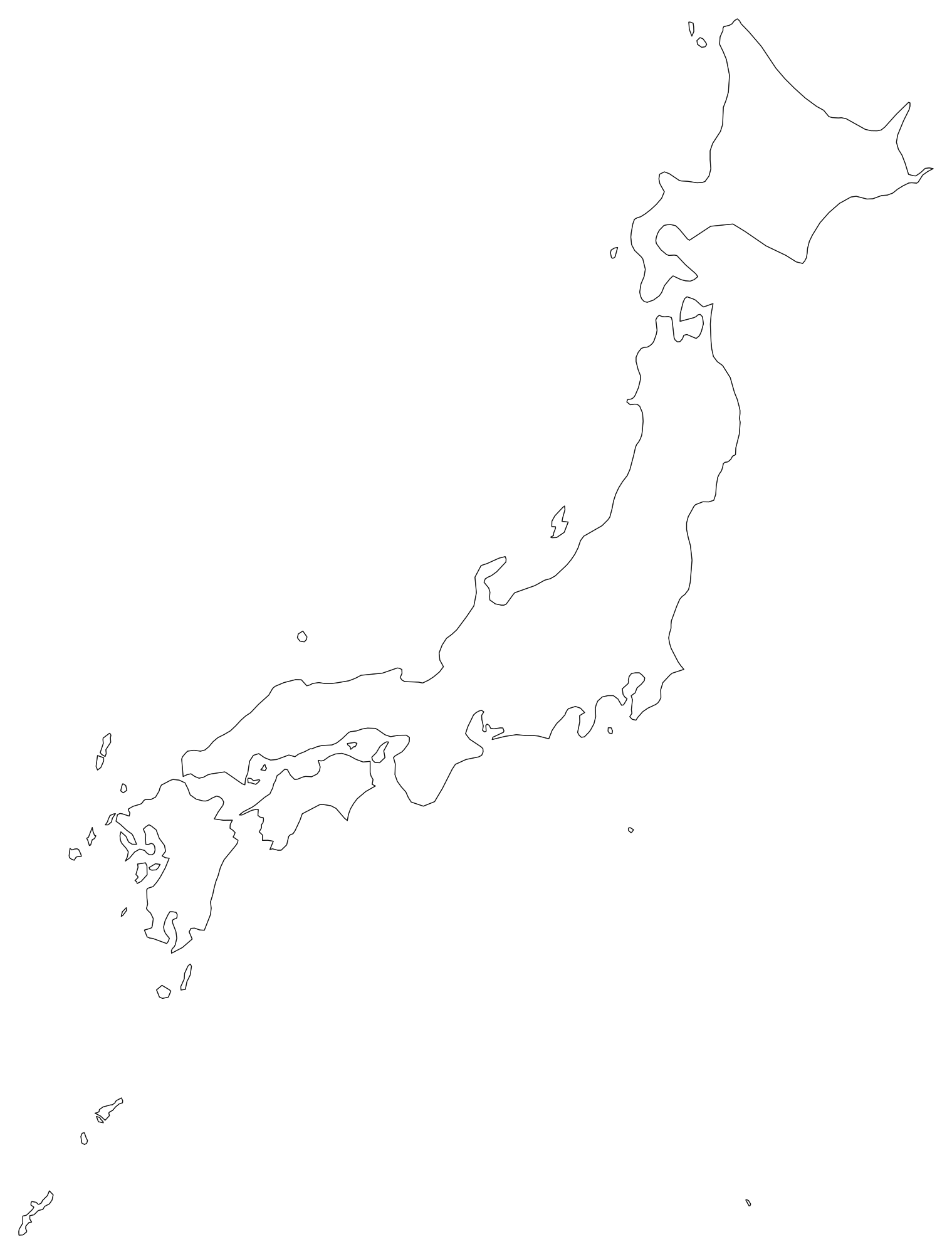
About this blank map of Japan
This is a free, high-resolution blank outline map of Japan. It is rendered fresh from public-domain boundary data (Natural Earth 1:50m) and exported as a clean vector — no watermark, no signup, no attribution required.
Japan is home to about 125 million people (CIA Factbook / Wikipedia, 2024 estimate) and covers 377,975 km² (145,937 mi²). The capital is Tokyo.
All four variants are generated from the same source geometry, so the borders line up exactly between them. You can download a blank version for student worksheets, then print the labeled version as the answer key — knowing each polygon will sit in the same place on the page.
Japan factsheet
The 4 variants explained
We generate four versions of every map from the same source geometry. Pick the one that fits your project — and remember, every variant is downloadable as SVG, PNG, or PDF.
1. Blank outline
The basic outline. Every prefecture is shown as a separate path with no fill, just a thin border. This is the version you want for quizzes, fill-in-the-blank exercises, or as a starting point for your own data overlay.
2. Labeled
Same outline, but with the prefecture names placed at each centroid. Names are sized and positioned automatically — long names get truncated to fit. Use this version as the answer key, or for reference when you don't have time to add labels yourself.
3. Colored
Each prefecture is filled from a 12-color pastel palette so that neighbors contrast. The colors are arbitrary — they are not real-world political, ideological, or demographic codings. Use this when you want a visually distinct map without doing the coloring yourself.
4. With cities
The outline plus dots and labels for the capital and largest population centres. Use this for travel-themed projects, or whenever readers need geographic anchors to find places.
What people use blank maps of Japan for
K-12 and university teaching
Geography, history, civics, and political science teachers use blank maps of Japan for in-class quizzes ("label the prefectures"), homework worksheets, and unit-assessment answer keys. The blank/labeled pair lets you print the worksheet and the key from the same source so the answers fit exactly where the student wrote.
YouTube and content creation
Explainer-channel creators use the colored or with-cities variant as a base layer in After Effects, DaVinci Resolve, or Premiere. Because the SVG is fully vector, you can scale it up to 4K with no pixelation, and animate individual prefectures by targeting their paths.
Sales and marketing territory mapping
Small businesses use blank maps to plan delivery zones, sales territories, franchise locations, or store coverage. Open the SVG in Figma or Illustrator, drop a colored fill on the relevant prefectures, add pins for office locations, and you have a board-ready territory map in minutes.
Data visualization and choropleths
Data journalists and analysts use the blank SVG as the geometry layer for choropleth maps. Each prefecture is its own path with a stable identifier, so you can colour by population, income, election result, COVID rate, or any other metric using a few lines of code in D3, Observable, or Datawrapper.
Travel scrapbooks and bucket lists
Travelers print a blank map of Japan, then color each prefecture they visit. By the end of a trip you have a custom souvenir poster — no app, no subscription, no data sent to anyone.
Print-and-color for kids
Parents and homeschoolers print the blank version as a coloring sheet. Kids can color each prefecture however they like — and as a side effect, they end up memorizing the map of Japan.
Classroom ideas for the Japan blank map
A blank map is a Swiss-army knife for any geography unit. A few activities that work in grades 4 through college:
- Label race: Print the blank version, give students 10 minutes to label as many prefectures as they can without notes. Use the labeled version to grade.
- Color by region: Group prefectures by sub-region, climate, or historical period and have students apply a color key.
- Population dot map: Have students draw one dot per million people in each prefecture — instantly shows where the people live.
- News tracker: Each week, students place a sticker on the prefecture where a news story happened.
- Build-a-trip: Plan a hypothetical road trip across Japan, drawing the route on the labeled version.
- Comparison overlay: Print the same blank map twice, color one by income and one by life expectancy, and discuss the patterns.
How to print the Japan map
For most users the easiest path is the PDF. Download it, open it in Acrobat or Preview, hit print, and choose "Fit to page" or "Scale to fit". The PDF is sized to use the entire printable area of US Letter and A4.
For best print quality
Use the SVG or PDF — both are vector and look perfect at any size. Avoid printing the PNG if you can, because raster images blur when scaled up beyond their native pixel size.
For poster and large-format printing
Send the SVG or PDF to any print shop. Vector files have no fixed resolution, so the same file that prints sharply on letter paper will print sharply at 24" × 36" or larger. Most print shops accept SVG and PDF natively.
For Word, Google Docs, and slide decks
Use the PNG. It's a 2400-pixel raster image that drops cleanly into any document or slide. If your slide tool supports SVG (PowerPoint and Keynote do), prefer the SVG so it stays crisp when projected.
Japan prefectures
Japan has 47 prefectures in real life. The blank map in our library shows only the country outline — admin-1 boundaries are not provided in our source dataset (Natural Earth 1:50m) for this country, so internal prefectures are not drawn as separate paths.
License & attribution
All maps on this page are dedicated to the public domain under Creative Commons CC0. You can copy, modify, distribute, and use them — including for commercial purposes — without asking permission and without giving credit. Attribution is appreciated but not required.
The underlying boundary geometry is itself public domain: Natural Earth 1:50m country polygons.
Glossary
- Blank map
- An outline map showing only the borders of regions, without any names, colors, or other markings.
- SVG
- Scalable Vector Graphics — a text-based format that describes shapes mathematically. SVG files scale to any size without losing quality.
- Choropleth
- A thematic map where each region is colored according to a data value (population, income, election results, etc.).
- TopoJSON
- An extension of GeoJSON that encodes shared borders only once, producing much smaller files. The source format we use to render these maps.
- Mercator projection
- A cylindrical map projection that preserves angles, used in most online maps. Distorts area near the poles but is familiar to most readers.
- Public domain
- A work that is not protected by copyright and can be used freely by anyone for any purpose, including commercially.